


The Most Important Reports in Project Management
How to Get the Best Overview of Your Projects

It can be difficult to keep track of projects—especially if you’re managing multiple projects at the same time or if the projects are very large in scope. A robust reporting system with sophisticated reports presents all the key facts about your projects in a clear, organized format at a glance. This allows you to monitor the current status, make decisions, and keep stakeholders informed.
To successfully manage your projects, you essentially need the following five reports:
1. Portfolio Report
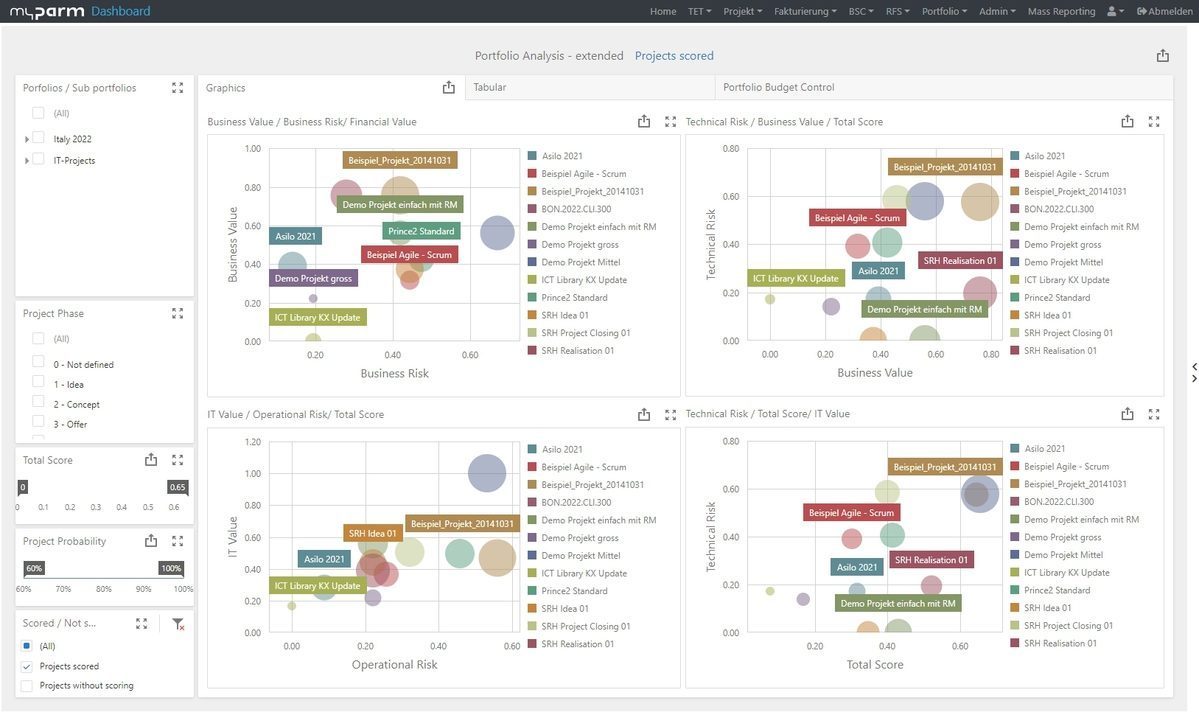
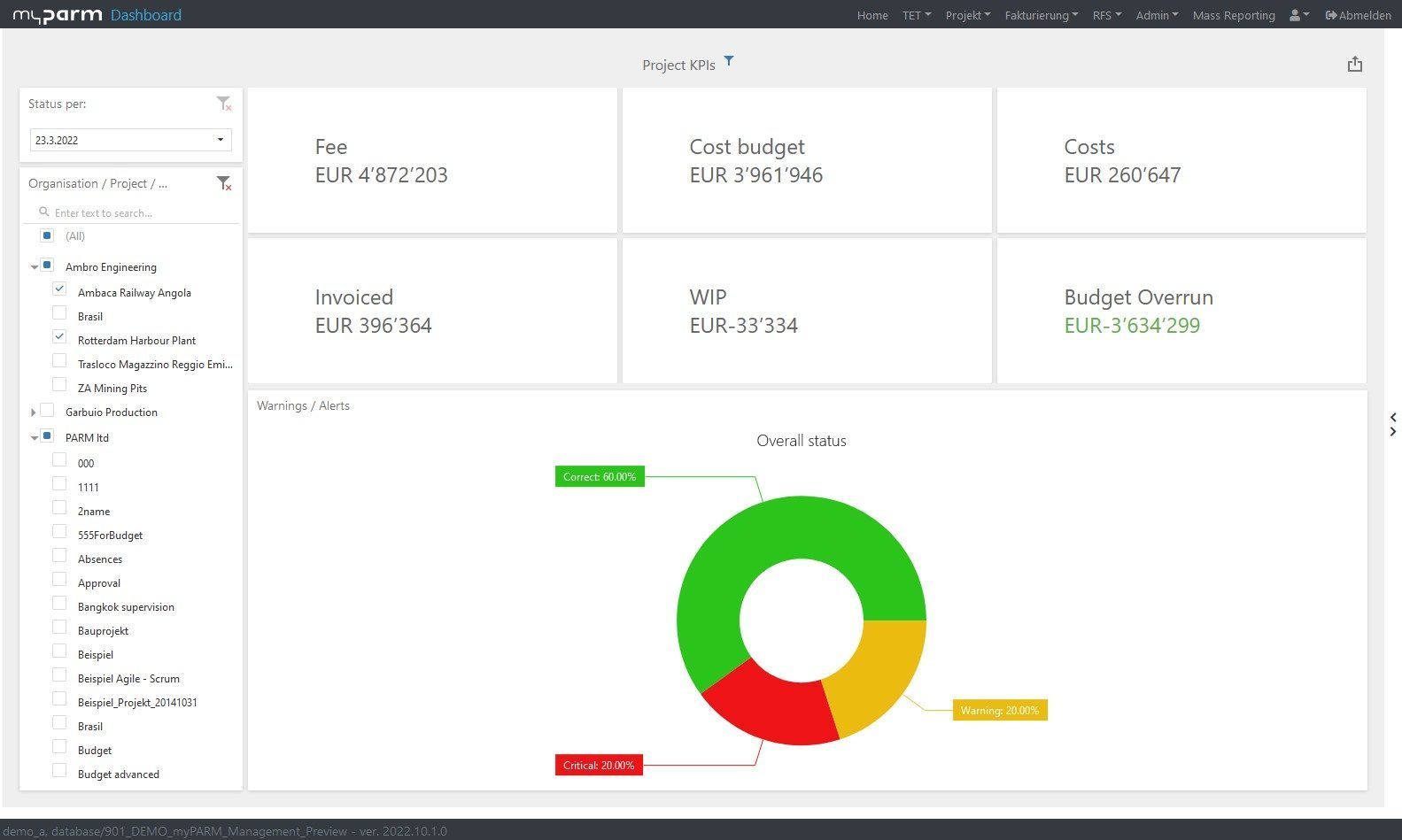
The portfolio report helps you monitor and manage your project portfolio. It summarizes the current status of all your projects and programs and compares their key metrics, such as project performance and goal achievement. Since all projects are analyzed in parallel in this way, you can also prioritize them and, for example, reallocate corporate resources to manage the projects as a whole in line with your company’s goals. A project portfolio report can, for example, include the overall status of your portfolio, the status of individual projects, adherence to schedule and budget, and resource utilization.

2. Project Status Report
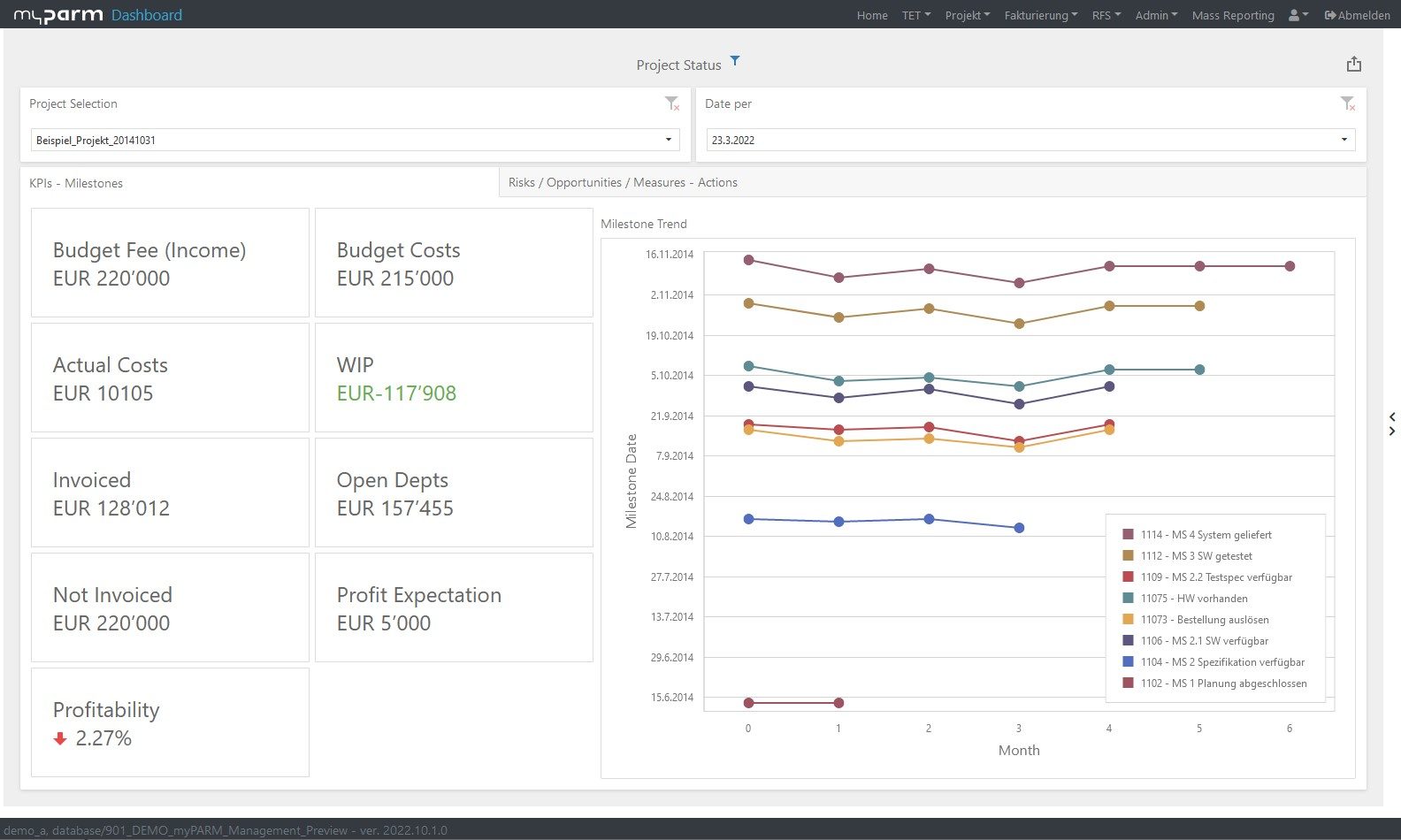
A project status report is a standard part of project management. This report provides an overview of the status of a single project as of the reporting date. In addition to general project data, a project status report typically includes:
- the project timeline (overview of the timeline)
- the project status
- comparisons of the baseline plan, planned, and actual values for dates, work, and costs
- key milestones, as well as risks and changes
- qualitative assessments and additional information
Project management software automatically generates project status reports at intervals you define. You can also add important comments regarding the status, thereby providing additional useful information.
3. Resource report
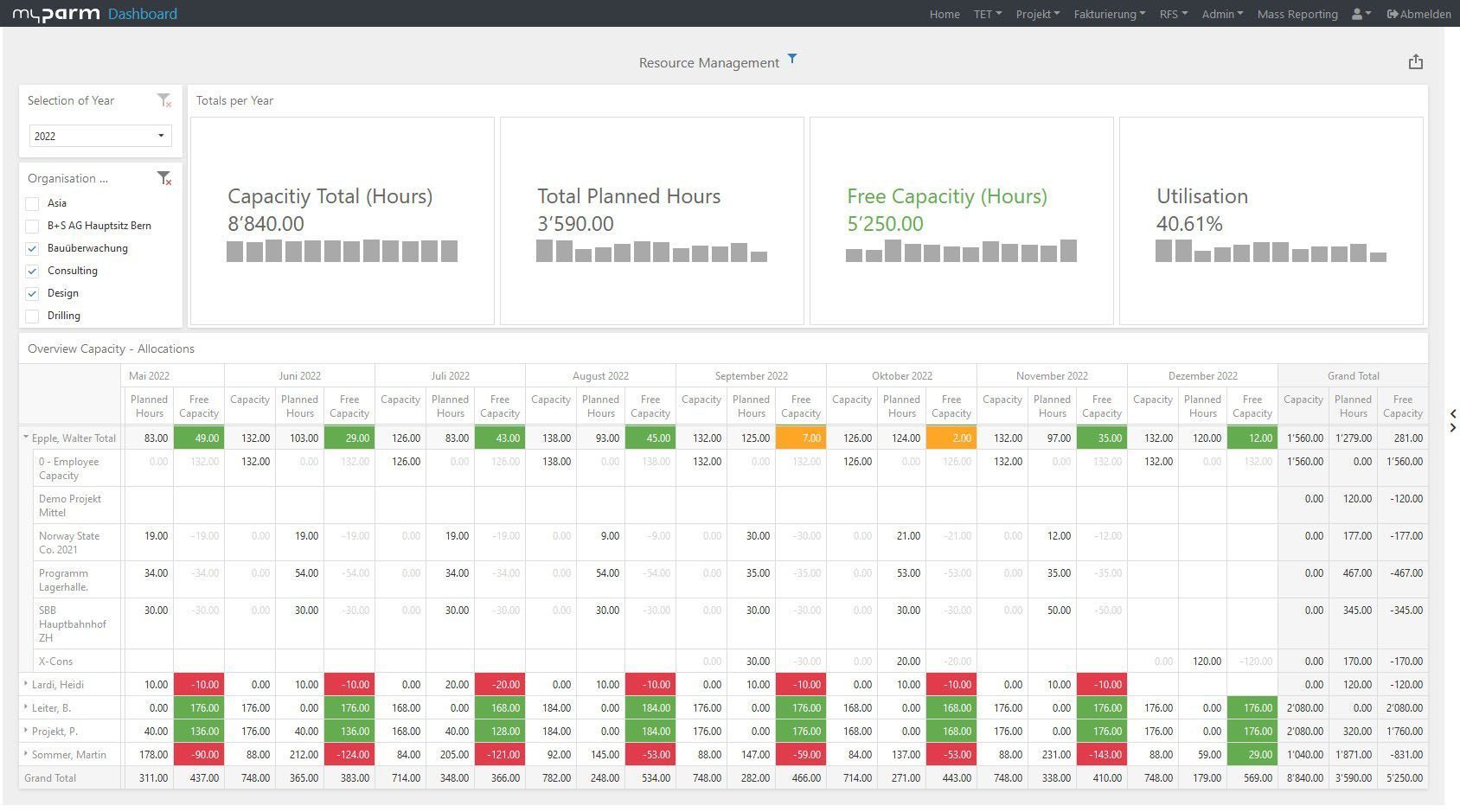
Especially when multiple projects are being carried out simultaneously and the project teams are very large, it is crucial to maintain an overview of available resources. This allows you to avoid overloading teams, ensure that available resources are used as efficiently as possible, and plan for new projects. When it comes to personnel resources, a resource report can help you determine, for example, whether resources are still available for another project and whether individual employees have been assigned too many or too few tasks. This analysis not only helps you understand workload levels but can also provide important insights for planning future projects or for determining how to respond to problems that arise in projects.
4. Risk Report
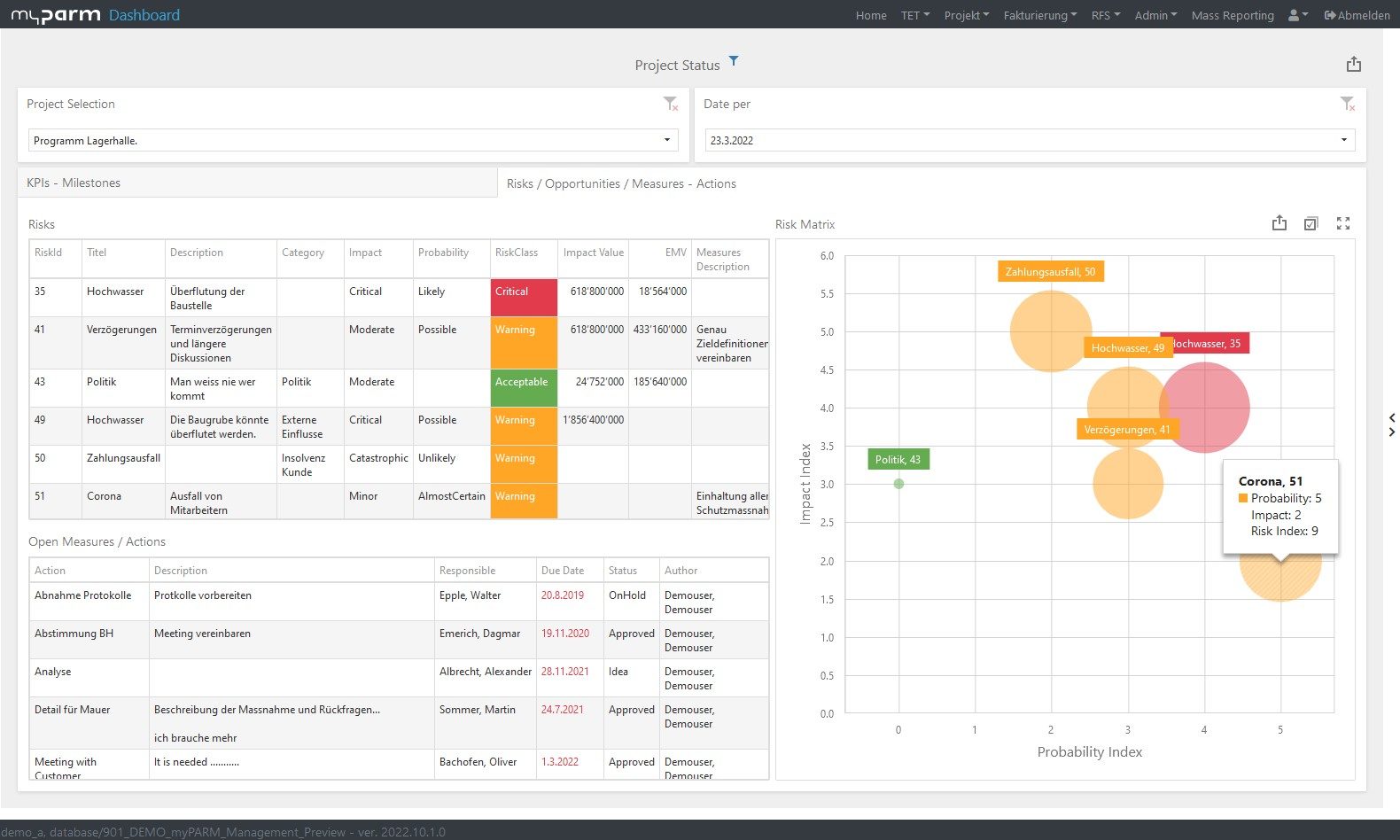
Every project involves risks that could jeopardize its success and that you should therefore keep an eye on. A risk report summarizes these risks, indicating their likelihood of occurrence and their significance. This allows you to take measures to address these risks and monitor their successful implementation.
5. Financial Report
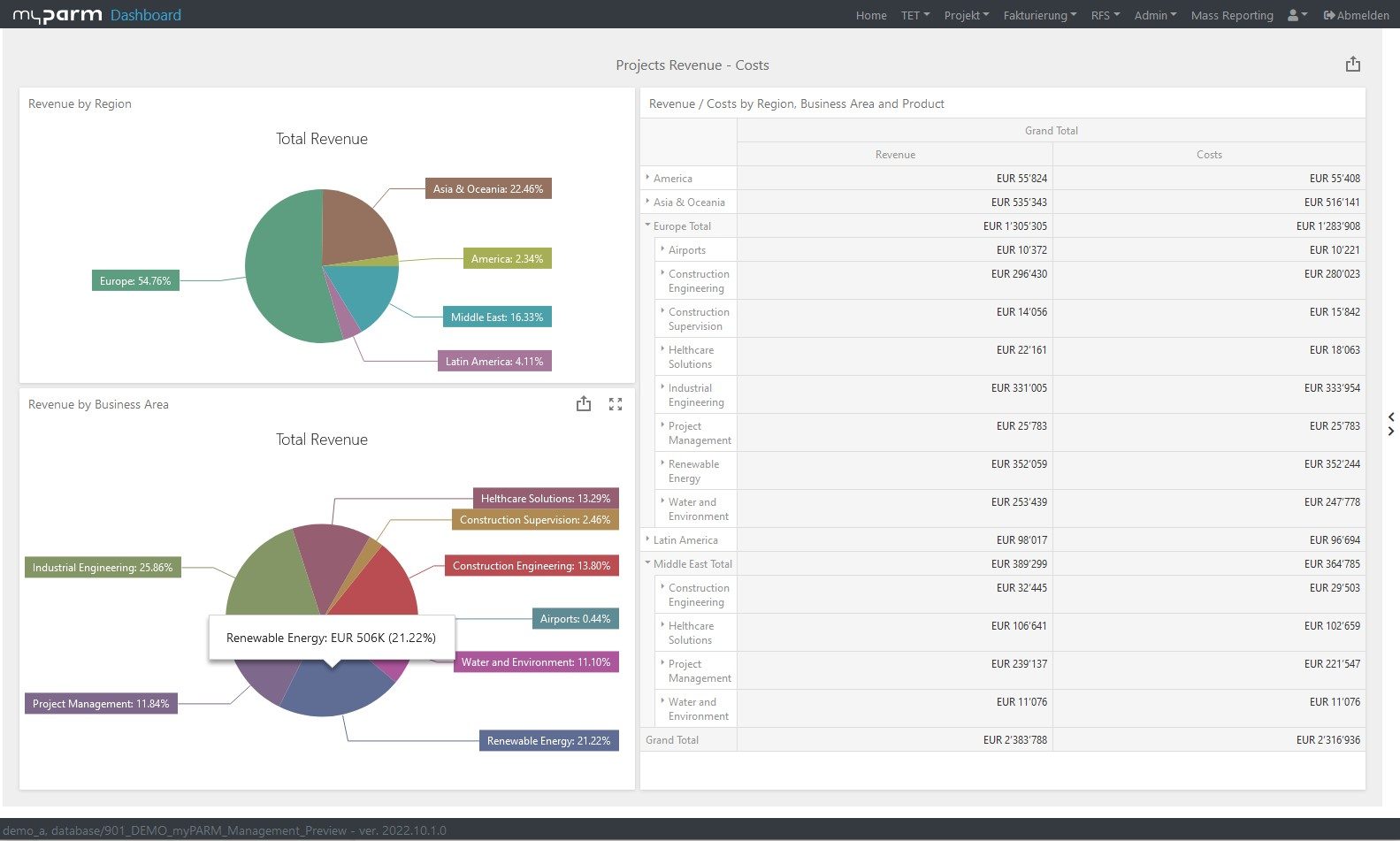
To ensure your project is a financial success, you should keep an eye on the finances throughout its duration. By comparing the costs incurred to the project’s progress, you can quickly determine whether you need to intervene because the project is at risk of exceeding its budget. Good project management software helps you track work hours and expenses, so you can access the current total costs at any time and compare them with the planned costs. You can also perform an earned value analysis, for example.
Conclusion
For many project managers, creating reports is not the most enjoyable task and takes quite a bit of time. Nevertheless, it is crucial to the project’s success. To ensure that all stakeholders and team members can get a sense of the current status, reports are needed that clearly summarize the key information.
Project management software makes creating project reports much easier, as many reports are generated automatically and can be supplemented with comments and qualitative information—such as forecasts—as needed. The easiest way to create reports is to use pre-designed best-practice reports. However, you can also customize reports entirely according to your individual preferences and needs.
More about the project management software myPARM:
Would you like to get to know myPARM in a demo? Then make an appointment with us right away!