

Organizing productivity is good.
Governance is decisive.
Portfolios, KPIs, dependencies
Systemically anchored
Budget, Claims & Controlling
natively integrated
Auditable processes
and full data sovereignty











ClickUp - powerful for teams, limited for governance
ClickUp is a modern, cloud-based platform for task and project work. With a wide range of features, high customizability at team level and an intuitive interface, ClickUp is particularly suitable for productivity-oriented teams who want to organize their work flexibly.
However, ClickUp is only designed to a limited extent for complex project landscapes with program and portfolio logic. Control across multiple projects, robust dependency models or structured portfolios require individual configurations, user-defined fields and dashboards - instead of system-anchored logics.
Monitoring & Evaluation is limited to operational key figures. Impact logics, milestones or early warning indicators are not available as a separate framework, but must be mapped using custom fields, targets and reports. Financial planning, budget control or claims workflows are not part of the functional scope and are solved manually or via external tools in practice.
The limitations of a productivity-driven SaaS approach are also evident in the area of governance: although ClickUp offers histories and audit functions at workspace level, it does not provide a central, validated data model with portfolio-compatible traceability across all artefacts - a critical point for regulated or public organizations.
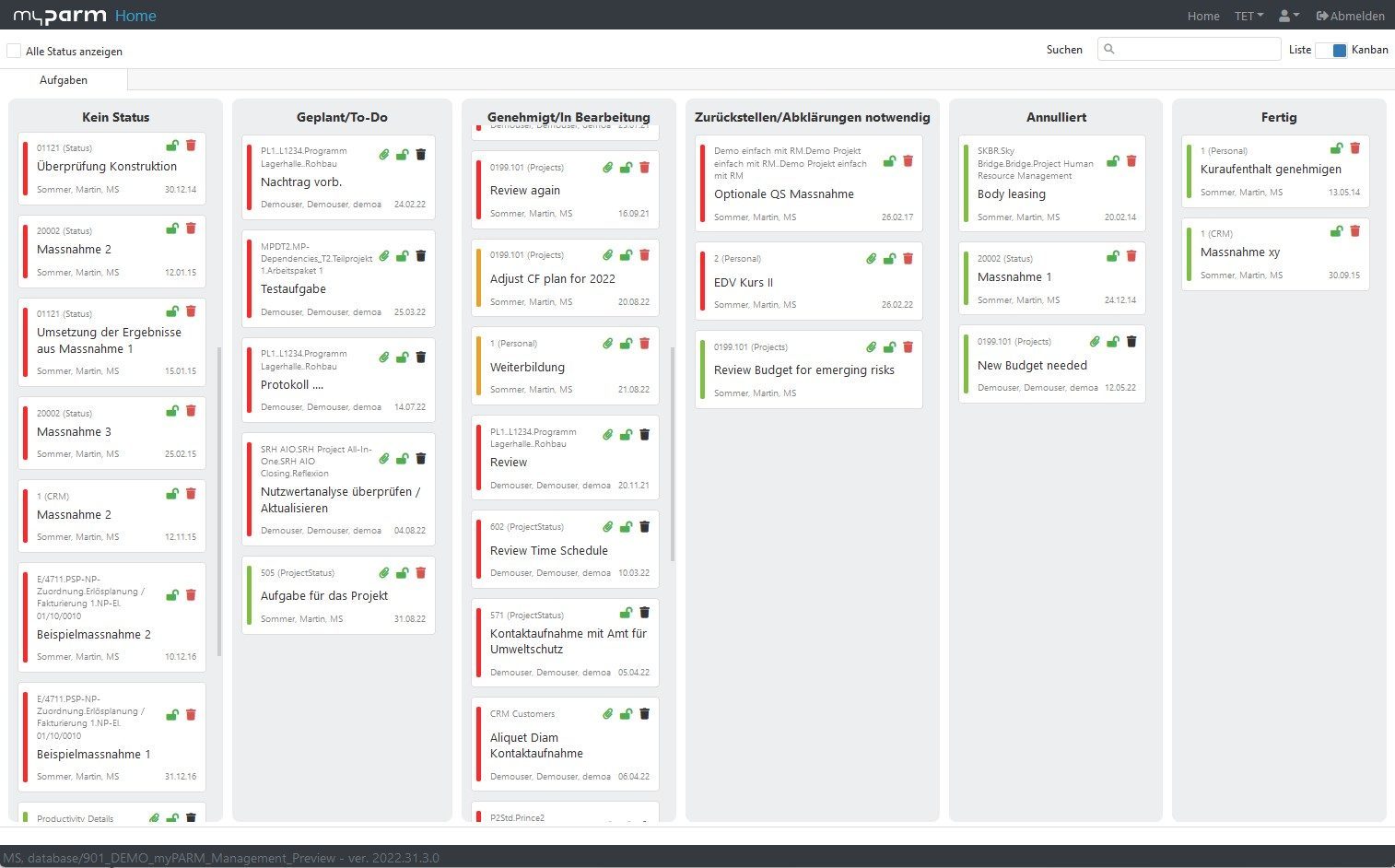
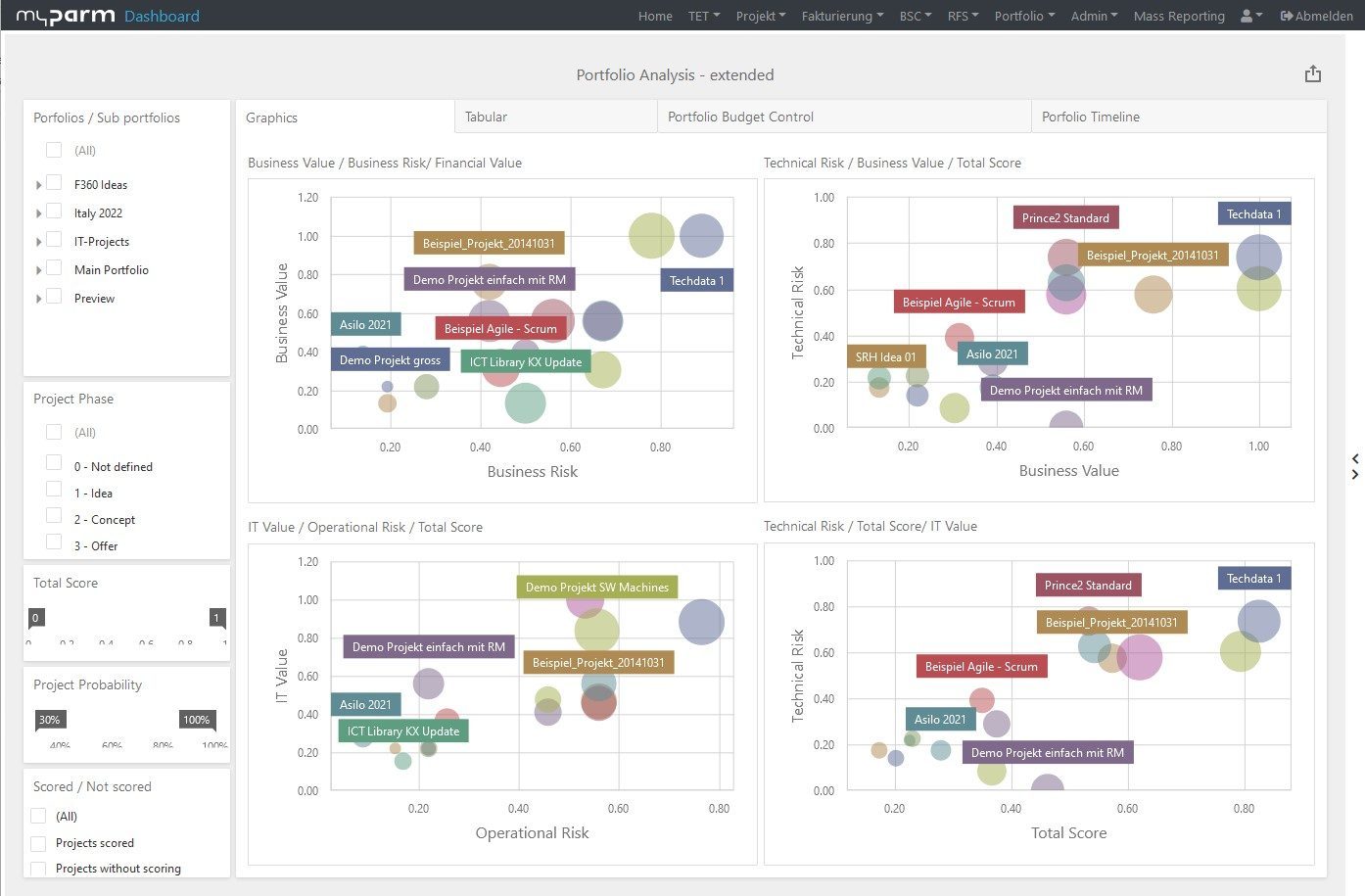


What does myPARM offer as an alternative to ClickUp?
While ClickUp is primarily designed for flexible team productivity, myPARM was developed for enterprise complexity, regulated environments and strategic control.
myPARM offers:
Native portfolio, program and multi-project structures with dependencies and resource logic
Integrated monitoring & evaluation functions with KPIs, milestones and early warning indicators
Complete financial and project management including budget, claims, controlling and ERP connection
Rule-based workflows with approvals, escalations and system-wide validations
A central data model with version control, audit trails and consistent data quality
Anyone using ClickUp as a project management tool today can easily switch to myPARM: Data can be transferred in a structured way, workflows are clearly mapped and complex portfolios immediately gain clarity and controllability.
Would you like to take a look at the software?
Compare both options and decide for yourself
| Criteria | myPARM ProjectManagement | Asana |
| Technology architecture | 3-tier modular; SaaS/On-Prem/Hybrid; middleware; REST/OpenAPI | Cloud-native; limited backend flexibility |
| Project and program management | Cross-project views, dependencies, resource balancing, portfolio KPIs; scalable to hundreds of projects | Task/project tracking at team level; custom dashboards; limited native portfolio logic |
| Monitoring and evaluation | Real-time data/KPIs, milestones, early warnings | Dashboards can track operational KPIs, but M&E-style indicator frameworks typically require custom fields/targets and configurations; no dedicated M&E module. |
| Workflow automation | Rule-based workflows with approvals and escalations | Rule-based automations (triggers, actions, optional conditions). Approvals/escalations are usually implemented via status/user-defined fields + automation rules and not via an integrated governance workflow. |
| Financial forecasts and receivables | Integrated budgeting, receivables, invoicing; ERP compatible | No native finance/receivables function; based on user-defined fields/manual reporting |
| Ease of use and user interface | Browser-based, responsive; suitable for structured/regulated environments | Modern user interface; no advanced ergonomic standards (according to the notes provided) |
| Reporting and dashboards | Real-time dashboards; automated exports (PDF/Excel/PPT/Word); drilldowns | Dashboards can be exported as PDFs, but availability varies by plan/map (often Business+). For more structured, standardized reporting packages, a setup and/or external tools are usually required. |
| Data quality and governance | Centralized validated inputs; version control; complete audit trail | Has some history/audit functionality (e.g. version history of task description; audit logs available via workspace settings), but this is not the same as centralized validated inputs + governance/versioning at portfolio level for all artifacts. Audit logs are positioned as a workspace feature (usually associated with higher levels). |
| Scalability | Unlimited number of users, resources, projects and project portfolios | Developed for medium to large teams in the cloud; scaling for companies via plans and integrations |
| Security and compliance | Full control over hosting, data residency and user access (SSO, Azure AD, LDAP, MFA); GDPR and multi-ISO certified; VPN options | SOC2, ISO 27001, GDPR-compliant; SSO/MFA in company plans; cloud only, no infrastructure control |
Why myPARM ProjectManagement?

Developed for regulated industries & enterprise complexity
myPARM is designed for large organizations, public sector clients and complex programs - where ClickUp deliberately remains generic.

Deep integration & true governance
From SAP to SharePoint to LDAP / Entra ID: myPARM integrates into existing enterprise landscapes and supports clear responsibilities, traceability and control.

Strategic planning, finance & reporting in one suite
Project management, budgeting, claims, KPIs and reporting are available natively - without external tools or manual construction.

Data sovereignty, security & compliance
EU hosting, ISO alignment, GDPR compliance, SSO integration and optional on-prem or hybrid operating models give you full control over data and operations.

SLA-based support & long-term partnership
myPARM is provided with guaranteed service levels, multilingual support and a long-term product strategy - not pure SaaS productivity, but a reliable infrastructure.
FAQ
For which use cases is ClickUp particularly well-suited?
ClickUp is particularly well-suited for teams that want to organize tasks, projects, and workflows flexibly. The platform offers numerous views, automations, and customization options to support collaboration within teams. Companies benefit from its high flexibility and quick implementation, especially in dynamic work environments.
When does ClickUp reach its limits in project management?
As soon as multiple projects, programs, or portfolios need to be managed simultaneously, the demands on resource management, governance, financial management, and strategic reporting increase. In such scenarios, additional configurations, custom dashboards, or external tools are often required. Companies with complex project landscapes therefore often seek solutions with more integrated management functions.
What are the main differences between ClickUp and myPARM?
ClickUp focuses on productivity, task management, and flexible teamwork. myPARM expands on this approach by adding features for multiprojekt management, portfolio management, budget planning, project controlling, monitoring, and governance. This allows users not only to organize individual projects but also to centrally manage strategic business goals, resources, and finances.
Can ClickUp be used for multi-project and portfolio management?
In principle, ClickUp can be used to manage and evaluate multiple projects. However, comprehensive management of project portfolios, dependencies, resources, and strategic metrics often requires customization. Specialized project portfolio management solutions already provide these features as part of the system and offer a centralized view of all projects.
What benefits does myPARM offer for governance and corporate management?
myPARM supports companies with integrated approval processes, audit trails, version control, and a centralized data model. In addition, features for budget planning, controlling, KPI management, and early warning indicators are available. This enables projects not only to be implemented efficiently, but also to be monitored transparently and managed in compliance with regulations.
Why are companies looking for alternatives to ClickUp?
Many companies value ClickUp for its flexibility and extensive feature set. However, as a company grows, additional requirements often arise in areas such as compliance, portfolio management, financial management, and standardized governance processes. At the same time, users regularly report challenges related to performance, complexity, and scaling larger work environments in community discussions. As a result, some organizations are exploring alternatives that are more focused on enterprise-wide project management.
Is switching from ClickUp to professional project management software a lot of work?
The transition can generally be carried out in stages. Existing projects, tasks, and structures can be carried over and expanded to include additional functions for resource planning, reporting, finance, and governance. This allows companies to maintain their current ways of working while simultaneously laying the groundwork for scalable project management.
Can project management software replace existing Excel spreadsheets?